How to fix login issues in CodeVista for VS Code
Summary
If you have a problem while trying to log in CodeVista in VS Code, follow these steps to have it fixed:
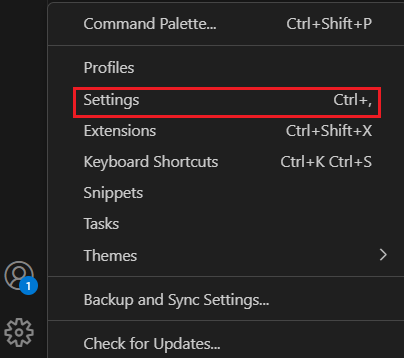
- Access the Settings in Visual Studio Code
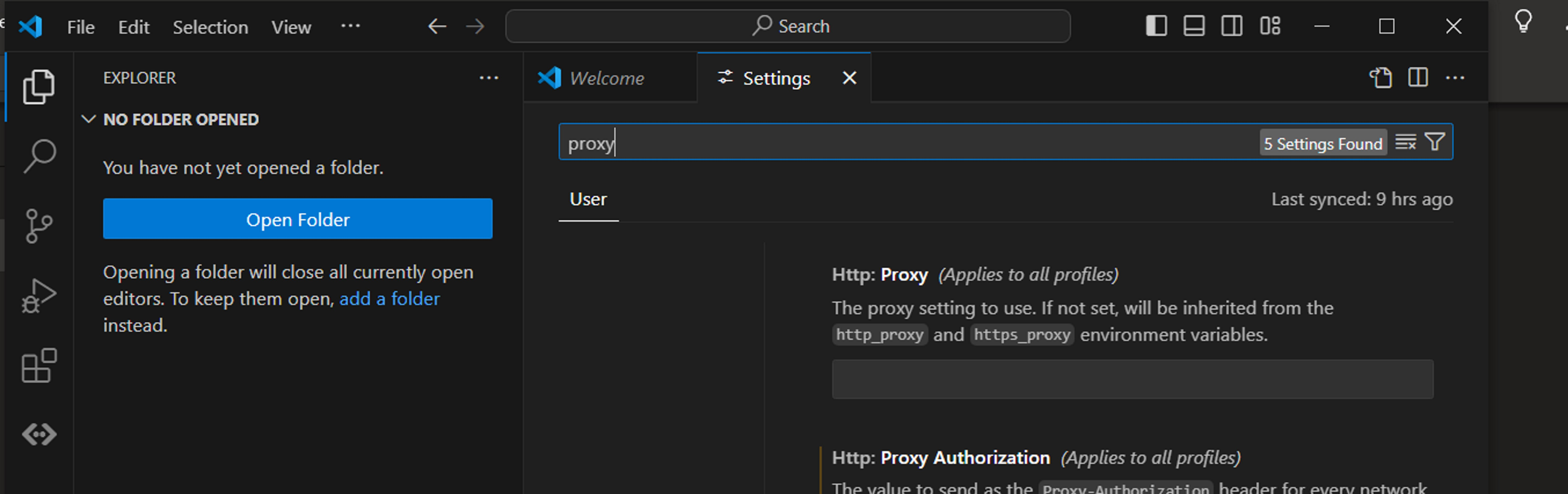
- Search for the keyword “proxy”
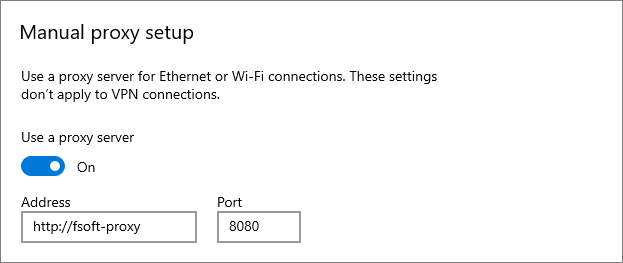
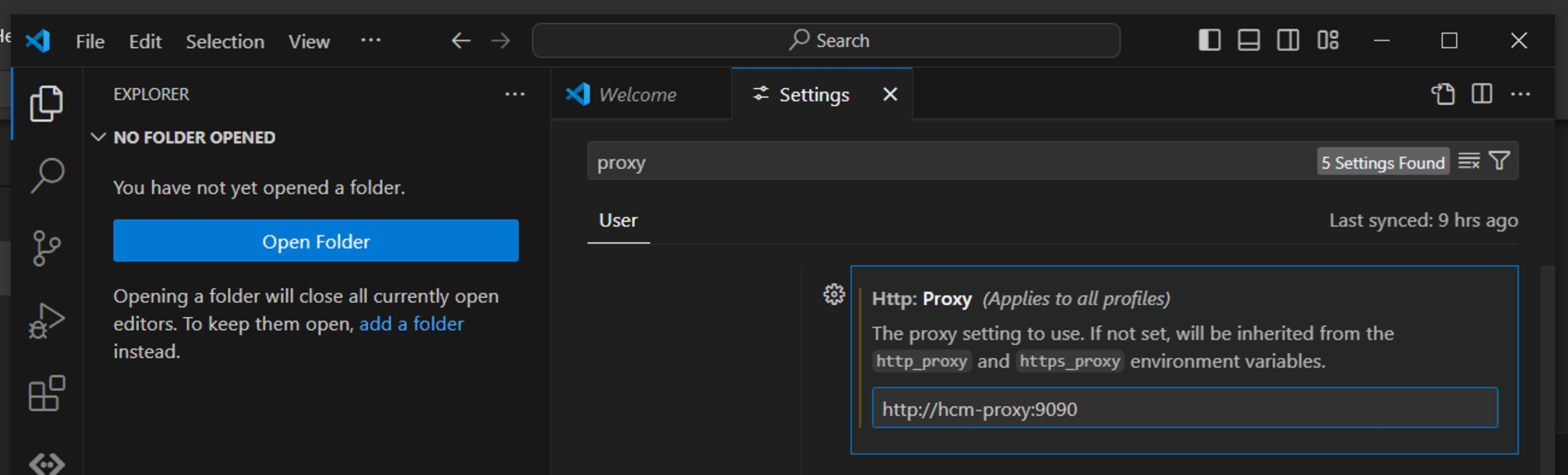
- Configure Proxy Settings According to Windows System Proxy Settings
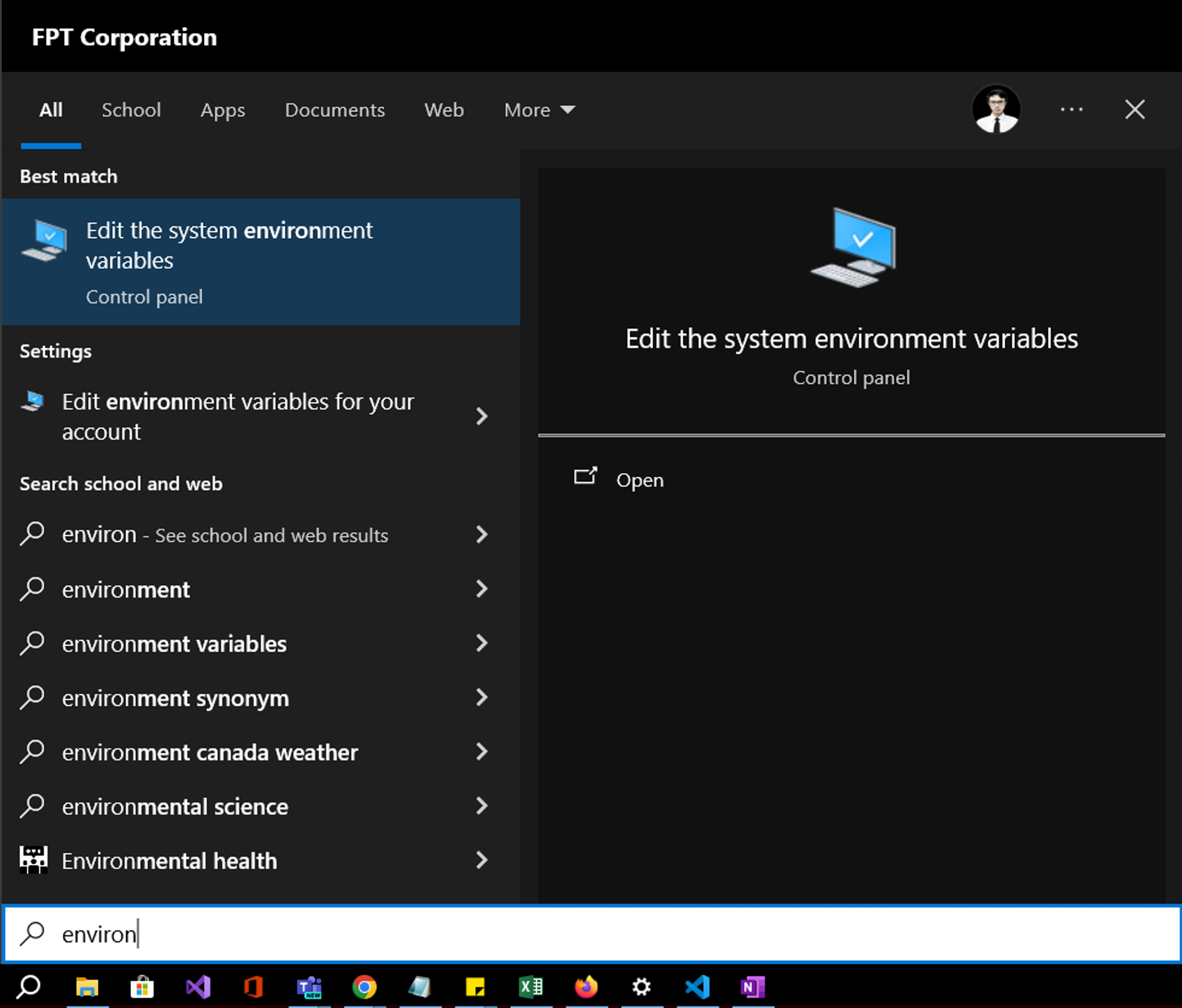
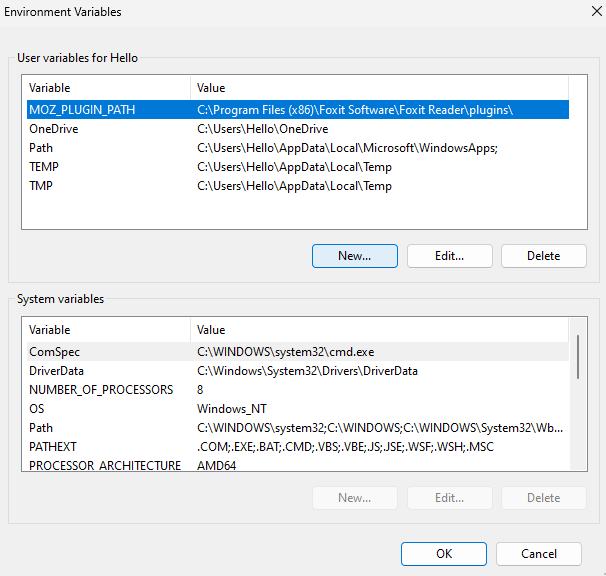
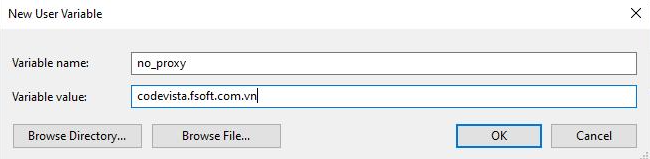
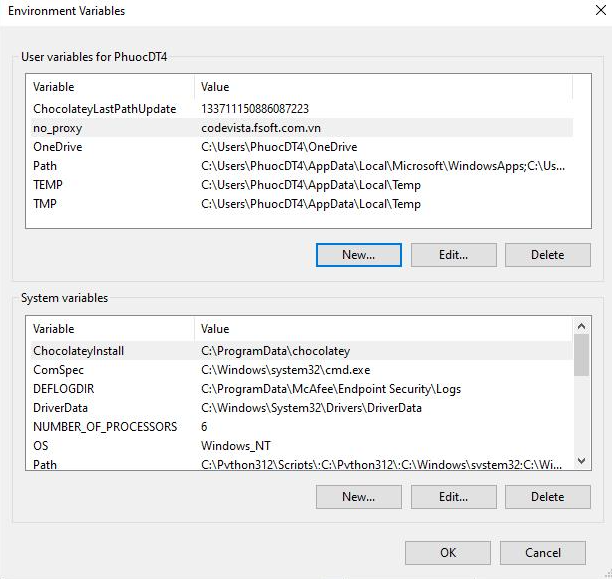
- Add a Variable in the User Variables for...
- Upon successful completion → Restart VS Code → Log in to CodeVista.
Properties
Applies to: CodeVista v1.3.0+ (VS Code)
Reference:
Knowledge base ID: 0002
Last updated: Apr 03, 2025