Summary
If you experience any issues logging into the CodeVista plugin for IntelliJ, follow the steps below to resolve them:
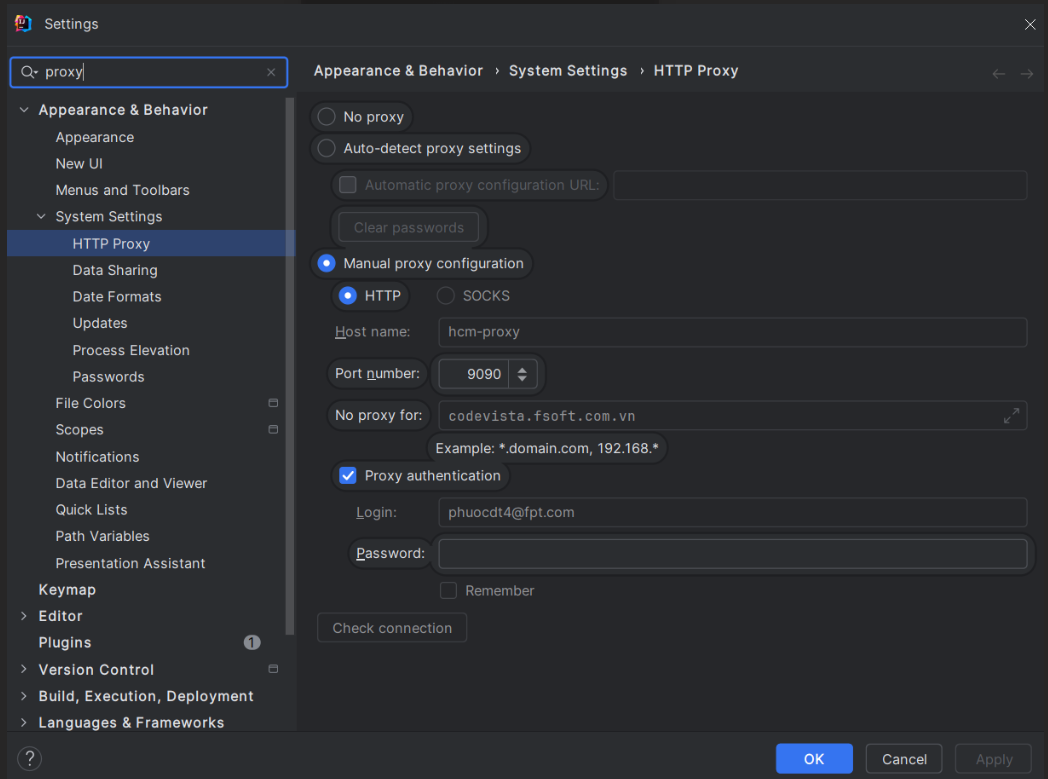
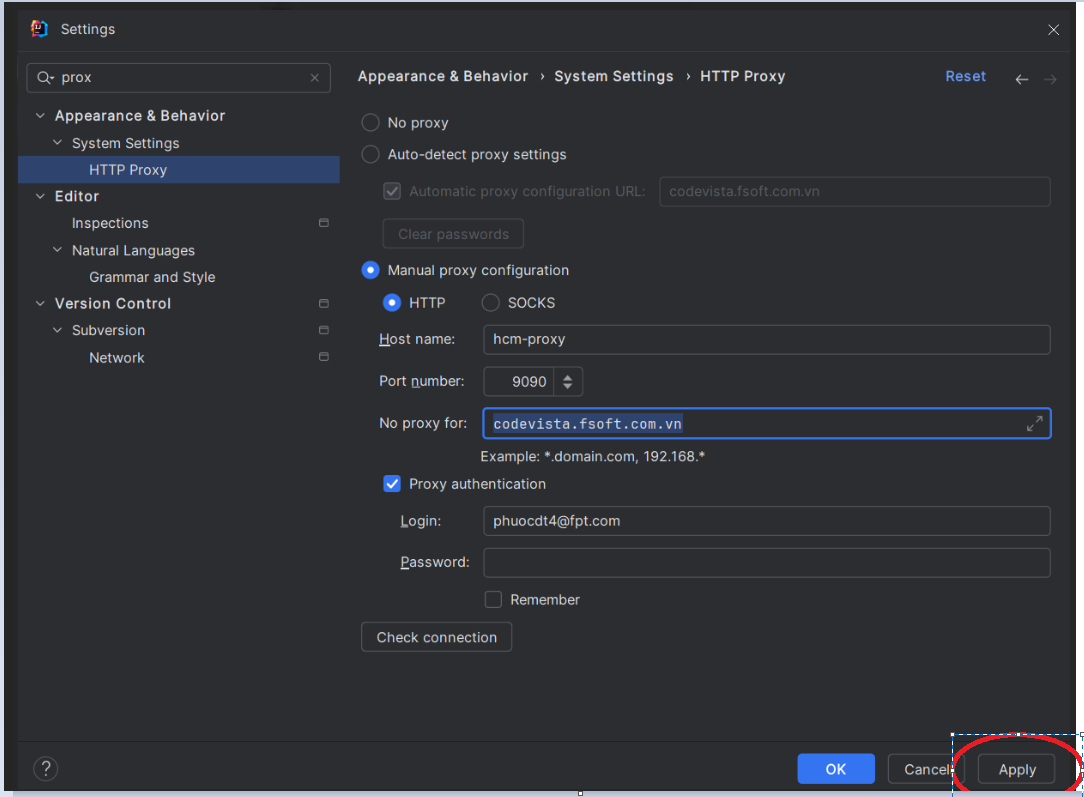
- Select File → Settings → Search for "Proxy":
Depending on the individual machine's configuration, there may be two cases for configuring proxies in JetBrains IDEs.
Case 1
Case 2
- After configuring the proxy: →Select Apply → Restart your IDE → Login to CodeVista.
Properties
Applies to: CodeVista v1.3.0+ (IntelliJ)
Reference:
Knowledge base ID: 0003
Last updated: Apr 03, 2025